
Vue Vapor Stats
View and compare all Vue Vapor metricsDemo
View Vue Vapor Weather AppGitHub
View Vue Vapor Weather App SourceResults Summary
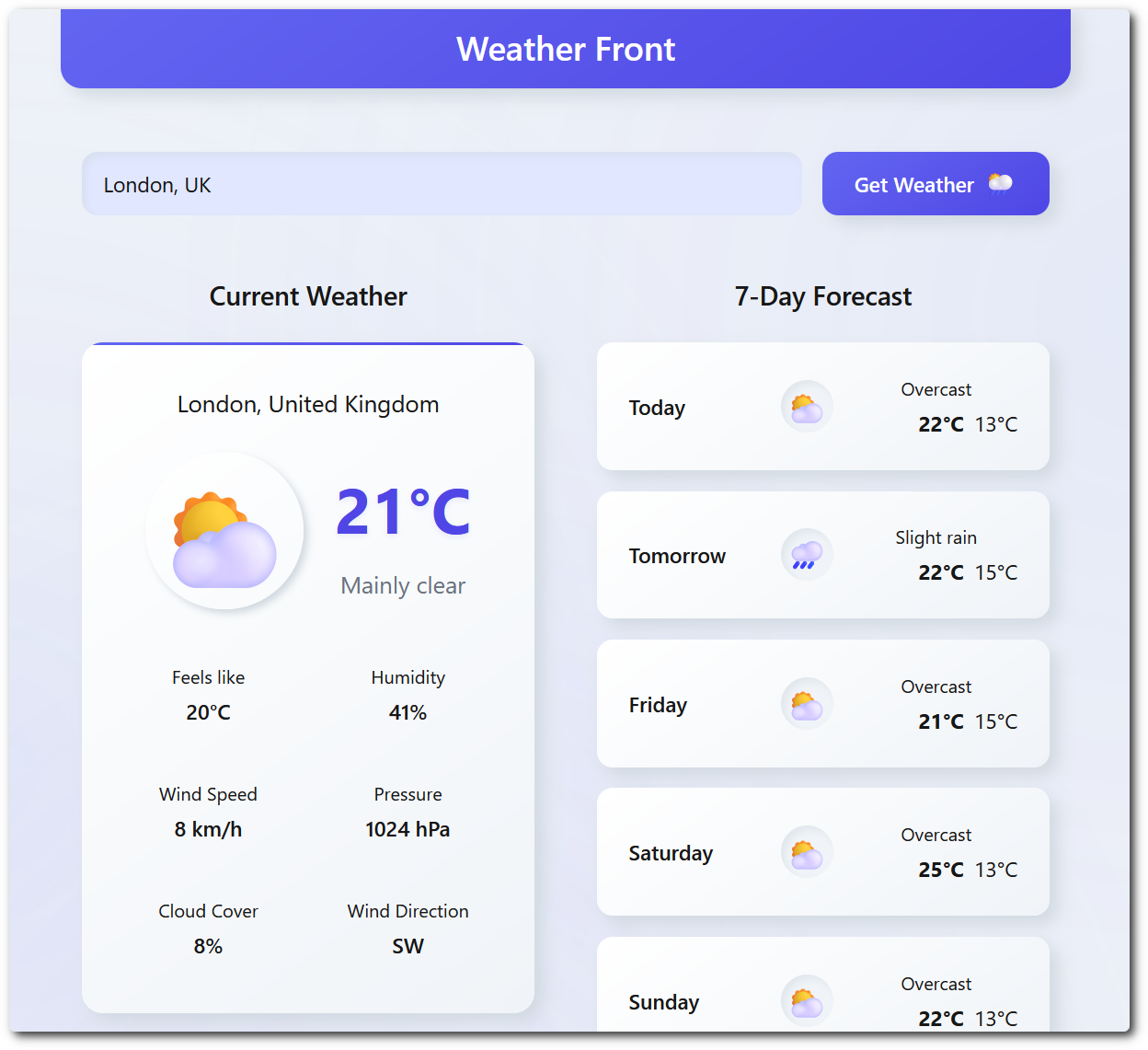
About the Vue Vapor Weather Front App
Status
-
Lint

-
Build

-
Test

Links
Usage Instructions
First, follow the repo setup instructions.
Then cd into ./apps/vue-vapor/
and and use the following commands:
- Dev Command npm run dev
- Test Command npm run test
- Lint Command npm run lint
- Build Command npm run build
- Start npm start
npm run verify from the root of the project.
App Requirements
The purpose of this project, was to build the same identical app in every frontend framework, in order to benchmark and compare their performance. As such, each app is built to meet identical requirements, which are then verified with the test suite.
Technical Requirements
- Binding user input and validation
- Fetching external data asynchronously
- Basic state management of components
- Handling fallback views (loading, errors)
- Using browser features (location, storage, etc)
- Logic blocks, for iterative content and conditionals
- Lifecycle methods (mounting, updating, unmounting)
Feature Requirements
- 🌦️ Live weather conditions
- 📅 7-day weather forecast
- 🔍 City search functionality
- 📍 Geolocation support
- 💾 Persistent location storage
- 📱 Responsive design
- ♿ Accessible interface
- 🎨 Multi-theme support
- 🧪 Fully unit tested
- 🌐 Internationalized
About Vue Vapor
Real-world App
Coming soon...
Choosing a Framework
 Stack Match
Not sure if Vue Vapor is right for your project? Use Stack Match to select your preferences and get a tailored recommendation based on the benchmark data.
